Vulnerabilities reach us as GitHub advisory invites, email, reports submitted on this site, and findings of our own. This page is the path from there to a published CVE.
-
Open the case
If the vulnerability warrants a CVE (check the criteria), open a case under Cases. You are on it automatically, and nothing about it is visible to anyone but the people on the case and the Points of Contact.
-
Write the record
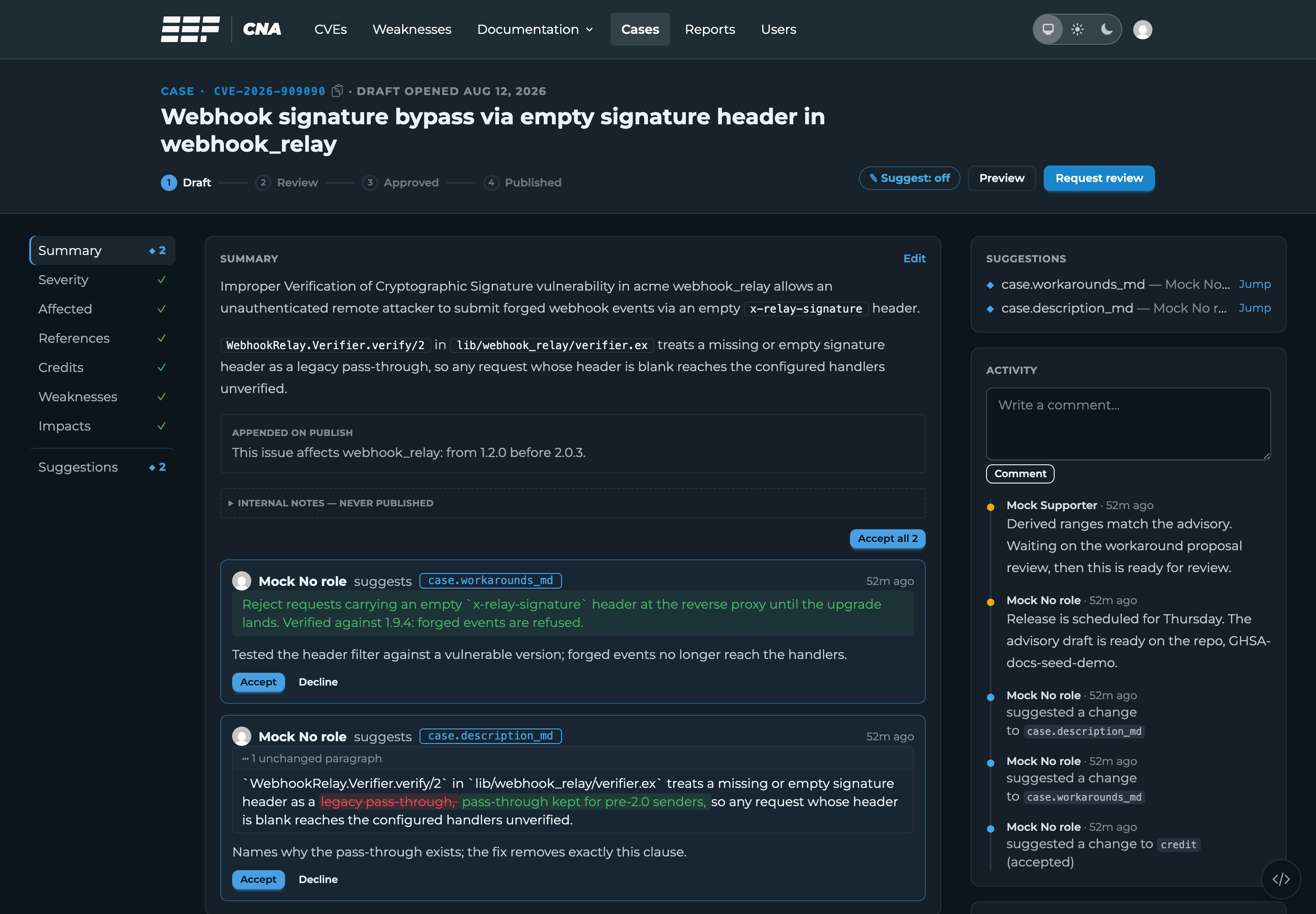
Fill in the summary, the CVSS vector, the CWE/CAPEC classification, references, and credits. Record Conventions is the house style, and the AI tooling drafts most of this for you as suggestions.
Every change is either a direct edit or a suggestion, the same split as editing and suggesting in a shared document. Edit when you are sure, suggest when you want someone to look at it. Suggestions from others land on the case for you to accept or decline, and declining records why.
-
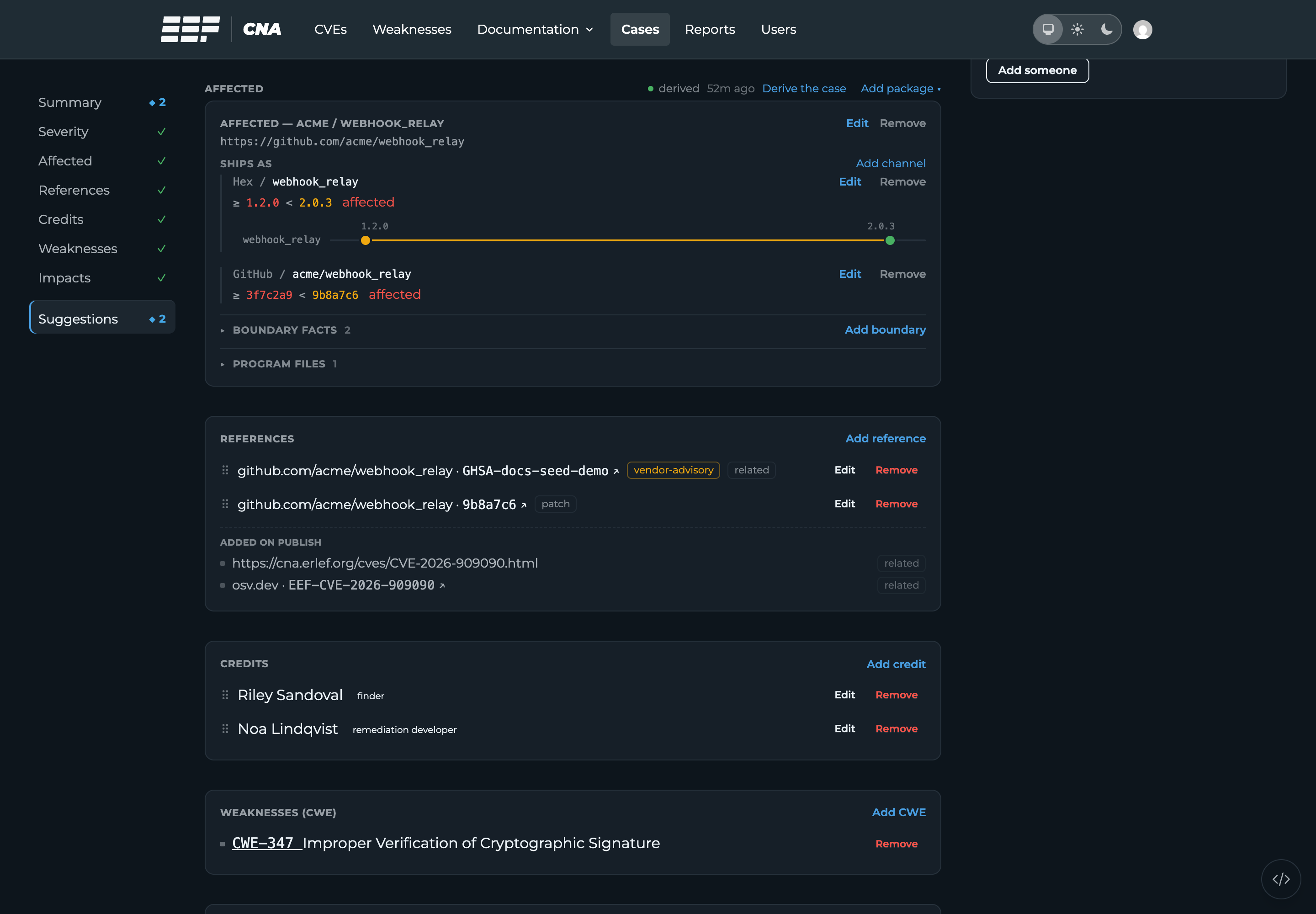
Enter the affected versions
Add the affected package (the
otp/elixir/gleampresets prefill vendor, product, repository, and channels) and record two facts: the commit that introduced the vulnerability and the commit or commits that fixed it. Everything version-shaped in the published record is derived from those facts and the repository, so verify them: full commit SHAs, never trusted from the advisory.After changing them, press Derive the case: derivation runs only on demand, and an out-of-date one shows up as no affected versions. If the derived ranges disagree with the advisory, a boundary commit is wrong. Affected Versions covers the details and the odd cases: unreleased hotfixes, missing repositories, prereleases.
-
Bring the maintainer in
Grant the maintainer (and the reporter, if there is one) access by their GitHub or Hex.pm handle. Someone without an account gets an invite that becomes access on their first sign-in. Assigning someone notifies them in-app and by email, per their notification settings. An invited person gets one email with a sign-in link, at the primary address Hex.pm holds for them or the public address on their GitHub profile. When the provider lists no address, enter one you found at a trusted source, such as the author email on their commits in the affected repository. When you find no trusted address, tick Send no email and reach the person another way. The people panel shows what became of each invite email. Notification emails never carry case details, only a link, so the advisory thread is still where they hear what changed. The same holds for comments and proposals: keep anything time-sensitive on the advisory thread and use case comments for what should stay on record with the case.
-
Verify
Open the case's Publication tab and clear everything it flags: publish blockers are hard stops, and the built-in validation (CVE schema, cvelint, hex.pm package check) must pass. Then cross-check the rendered record on the CVE tab against the advisory one last time: ranges, credits, resolved
TODOs. -
Take a CVE ID and hand it to review
Take the next free CVE ID, then send the case to review. A Point of Contact sends it back with findings, or approves it and, once the advisory is public, publishes: Varsel pushes the record to MITRE, and the OSV feed and hex.pm advisories follow automatically.
When Plans Change
A case is editable while it is in draft or review. Approval freezes it for everyone but a Point of Contact; publishing freezes it for everyone.
- The published record needs a change? Reopen the case, edit, publish again; the second publish reaches MITRE as an update. Fixes and improvements both qualify.
- Not becoming a CVE after all? A Point of Contact closes the case with a reason. An already-assigned CVE ID goes back to the pool, or the Point of Contact rejects it at MITRE. That is their call.